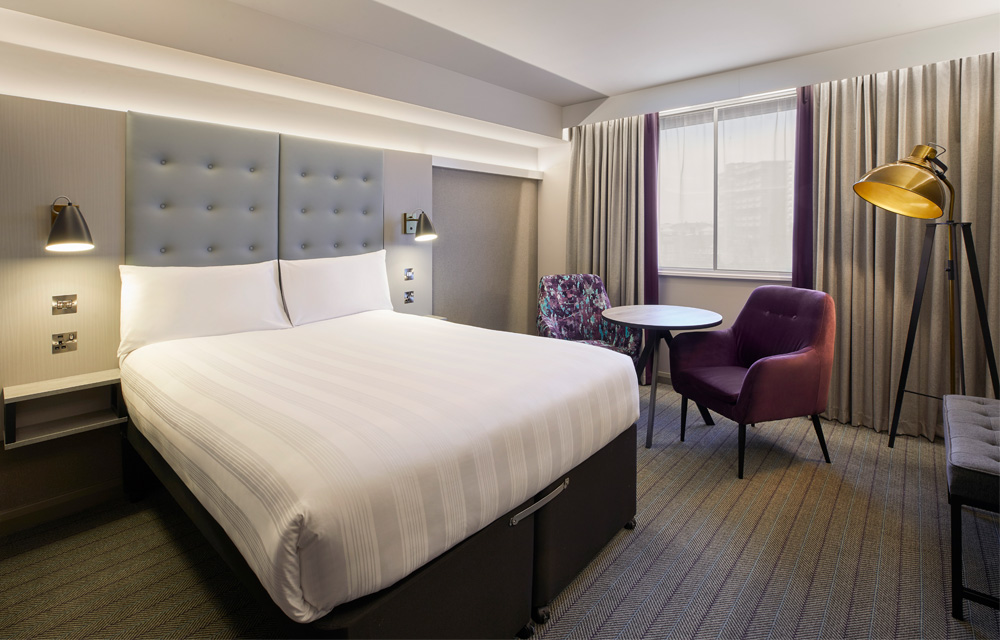
From a comfy bed to a great night's sleep, you know what you're getting with us
Our Premier Inn hotels offer comfort you can count on thanks to our flexible rates, unlimited breakfast and super-comfy beds - what's not to love?
Premier Plus rooms
More comfort. More convenience. More connectivity. That’s our Premier Plus rooms. Just perfect if you fancy a little more from your stay. Go on, treat yourself.
Show more
Show less
Food & drink
People rave about our tempting Premier Inn Breakfast. And in the evenings, you can sit down to a mouth-watering menu of delicious dishes from our restaurant.
Show more
Show less
Family-friendly rooms
Grown-ups can get comfy in a king-size* bed, with two pull-out or sofa beds for the kids. Cots are available for babies, too.
Show more
Show less
Your old mattress recycled for free
Ready for your best sleep ever? With free mattress recycling, a bedroom upgrade has never been easier. T&Cs apply.*
Show more
Show less
Premier Inn Business
Our free online booking tool gives businesses of all sizes access to a guaranteed 5% and up to 15% discount* off our Flex rate.
Show more
Show less
Plan your next getaway
Show more
Show less
Show more
Show less
Show more
Show less
Show more
Show less
Discover our hotels
Premier Inn
With over 800 hotels across the UK and beyond, we really are everywhere. Sleep in a super comfy bed, enjoy Freeview TV, an en-suite bathroom with power shower and so much more.
Show more
Show less
hub by Premier Inn
Smart, stylish rooms across London and Edinburgh at great prices. Clever touchscreen room controls, free Wi-Fi, 40" Freeview TVs, high-powered monsoon showers and super-comfy beds.
Show more
Show less
ZIP by Premier Inn
Our idea is simple. Do the essentials brilliantly, then take away everything else. You get a small room, a simple stay and best of all, a price to match – from £25 a night. Now open in Cardiff.
Show more
Show less
Premier Inn information, news and features
Premier Inn news
Want to hear all the latest updates from Premier Inn, hub and ZIP? Visit our news page to stay up to date with competitions, travel tips and more.
Show more
Show less
New hotels
From city centres to seafronts and beyond, we’ll be opening new hotels in great locations throughout the year. Check out our list of latest openings!
Show more
Show less
Committed to cleanliness
To make sure we keep everyone safe, we have a rigorous, daily cleaning regime - an enhanced hygiene promise we call Premier Inn CleanProtect™.